Valve Shim Calculator
Instructions Below Calculator
This calculator is best used via web browser or tablet due to its dimensions
Engine Configuration
The below instructions assume you evenly unbolt your cams and incrementally torque them in order to not snap them.
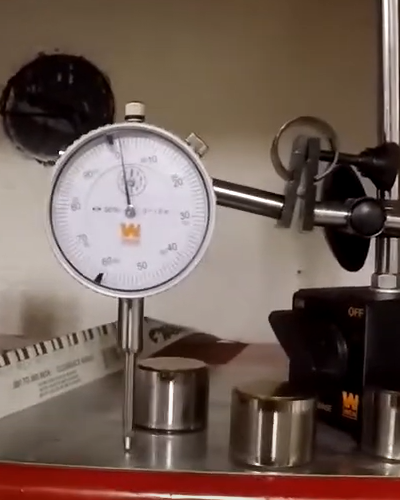
- Remove shims and read each measurement on the shims (or measure thickness with a dial indicator [pictured]). Input data in each cell of Shim Size. (Personally I prefer either manually measuring all shims OR solely using the measurements printed on the shim — this rules out your gauge being out of calibration.)
- Install camshaft with a little engine oil for lube and torque your cam cap bolts to spec.
- Input recommended valve lash from your cam card or service manual in "Recommended Intake Tight/Loose" or the similar exhaust entry box.
- Measure clearance with a feeler gauge between all shims according to your service manual (see Note 1) and input data in "Measured Clearance" column rows. Look at Total Height (see Note 2).
- See shim size in "Nearest Shim" column and the associated part number in column "L".
Want it more precise? Click "Perfectionist Mode" and follow the extra steps above the table!!
Note 1: Usually the back of the lobe (the farthest side from the largest side) — refer to service manual.
Note 2: The total height of "shim" + "measured clearance" is what you're looking for.
The feeler gauge measurement is thrown off by the "space above" your feeler gauge.
The feeler gauge that slips in will still have a gap above it.
If your 0.150 feeler gauge slides in but 0.175 does not, then your true measurement can be anything between 0.150 and 0.174.
This can lead you to purchase the wrong shim.
Be a perfectionist! Check the "Perfectionist Mode" checkbox and swap shims at least 2× by following the extra steps that appear above those tables.
Click here to download the spreadsheet. The spreadsheet is fully editable and can be edited via Excel or LibreOffice Calc. Jump to video on YouTube here.